
Computers went from room-sized machines programmed with cables and switches to pocket devices carrying billions of transistors. They can calculate, store, communicate, simulate, draw, play, and control machines, yet underneath it all they still rely on carefully organized electrical states. These 145 computer facts trace that journey from mechanical calculators and ENIAC to microprocessors, laptops, memory, software, networks, and the cloud.
Computer basics
- A computer is a machine that processes information according to instructions.
- Modern digital computers represent information using discrete states, usually encoded as binary digits.
- A binary digit is called a bit.
- A bit can represent one of two states, commonly written as 0 and 1.
- Eight bits make one byte in nearly all modern computing systems.
- Bytes can represent text, pixels, sound samples, instructions, numbers, and countless other kinds of data.
- Hardware means the physical components of a computer system.
- Software means programs and data that tell hardware what to do.
- Firmware is software stored closely with hardware and often used to control devices at a low level.
- A processor executes instructions and performs calculations.
- Memory holds information a processor can access while programs run.
- Storage keeps data for longer periods, even when power is removed.
- Input devices send information into a computer.
- Output devices present information from a computer.
- Computers range from tiny embedded controllers to enormous supercomputing systems.

Computing existed before electronic computers
- Humans built calculating tools thousands of years before electronic computers.
- The abacus is one of history’s best-known manual calculation tools.
- Mechanical adding machines used gears and wheels to automate arithmetic.
- Blaise Pascal built a mechanical calculator in the 1640s.
- Gottfried Wilhelm Leibniz developed mechanical calculating machines and wrote about binary arithmetic.
- Joseph-Marie Jacquard’s loom used punched cards to control weaving patterns in the early 1800s.
- Punched cards later became important in data processing and computing.
- Charles Babbage designed the Difference Engine to automate mathematical table calculations.
- Babbage later designed the much more ambitious Analytical Engine.
- The Analytical Engine concept included ideas resembling memory, a processor, input, output, and programmable control.
- Ada Lovelace wrote extensive notes about Babbage’s Analytical Engine.
- One of Lovelace’s notes described a method for calculating Bernoulli numbers on the proposed machine.
- Herman Hollerith used punched-card tabulating equipment to help process the 1890 U.S. census.
- Hollerith’s business became part of the corporate lineage that eventually formed IBM.
- The word “computer” once described a person whose job was to perform calculations.
ENIAC and the birth of electronic computing
- ENIAC stands for Electronic Numerical Integrator and Computer.
- ENIAC was built at the University of Pennsylvania during World War II.
- The U.S. Army funded ENIAC largely to speed ballistic calculations.
- J. Presper Eckert and John Mauchly were ENIAC’s principal designers.
- Construction took place mainly between 1943 and 1945.
- ENIAC used about 18,000 vacuum tubes.
- It occupied a large room and consumed far more electricity than a modern laptop.
- The Smithsonian notes that ENIAC computed roughly a thousand times faster than existing machines of its era.
- Early ENIAC programming involved physically configuring cables, switches, and function tables.
- Six women became especially famous for their pioneering ENIAC programming work.
- Those programmers included Kay McNulty, Betty Jennings, Betty Snyder, Marlyn Wescoff, Fran Bilas, and Ruth Lichterman.
- Their work required understanding both mathematics and the machine’s hardware logic.
- ENIAC was later modified so instructions could be handled in a more stored-program-like way.
- The Smithsonian preserves oral histories and materials documenting ENIAC’s development.
- Computer-history “firsts” are complicated because different machines were first at different capabilities.
The stored-program revolution
- A stored-program computer keeps instructions in electronic memory rather than requiring every program to be physically rewired.
- This idea made computers far easier to reprogram for new tasks.
- The Manchester Small-Scale Experimental Machine was nicknamed the Manchester Baby.
- On June 21, 1948, the Manchester Baby successfully ran a program from electronic memory.
- The Computer History Museum calls it the first program to run on a digital electronic stored-program computer.
- Its first program contained only 17 instructions.
- The program was written by Tom Kilburn.
- The Baby used a cathode-ray-tube storage technology known as the Williams-Kilburn tube.
- EDSAC at the University of Cambridge became one of the first practical stored-program computers to provide regular computing service.
- EDSAC began operation in 1949.
- Early stored-program machines transformed programming from machine rewiring into a much more flexible information problem.
- Programs could now be copied, changed, debugged, and reused more systematically.
- Modern computers still follow the central concept of storing both data and instructions electronically.
- Computer architectures have evolved enormously, but the stored-program idea remains foundational.
- The Computer History Museum documents the Manchester milestone in its 1948 timeline.
Transistors changed everything
- Vacuum tubes could switch and amplify electrical signals but were bulky, hot, and power-hungry.
- The transistor offered a much smaller solid-state alternative.
- John Bardeen and Walter Brattain demonstrated transistor action at Bell Labs in December 1947.
- William Shockley helped develop transistor theory and later transistor designs.
- Bardeen, Brattain, and Shockley shared the 1956 Nobel Prize in Physics.
- Transistors can act as electronic switches.
- Modern processors contain enormous numbers of microscopic transistors.
- The integrated circuit places multiple electronic components on a single semiconductor substrate.
- Jack Kilby demonstrated an early integrated circuit at Texas Instruments in 1958.
- Robert Noyce independently developed a practical integrated-circuit approach at Fairchild Semiconductor.
- Integrated circuits made electronics smaller, cheaper, faster, and more reliable.
- The microprocessor integrates central processing functions onto a chip.
- Intel introduced the 4004 commercially in 1971.
- The Computer History Museum describes 1971 as the year the microprocessor integrated CPU functions onto a single chip.
- Microprocessors helped make personal computers, digital appliances, and embedded computing practical.
Personal computers reach homes and offices
- The meaning of “first personal computer” depends on how narrowly the term is defined.
- The Kenbak-1, introduced in 1971, is often described as an early personal computer.
- It had only 256 bytes of memory.
- The Micral of 1973 was an early commercially available personal computer built around a microprocessor.
- The Altair 8800, introduced in 1975, helped ignite hobbyist interest in microcomputers.
- Early Altair users often interacted with the machine through front-panel switches and lights.
- Bill Gates and Paul Allen created a BASIC interpreter for the Altair before Microsoft became a giant software company.
- The Apple II launched in 1977 and became one of the defining early mass-market personal computers.
- The Commodore PET and Radio Shack TRS-80 also appeared in 1977.
- The Computer History Museum points to 1977 systems such as the Apple II and TRS-80 as major steps toward true mass-market personal computing.
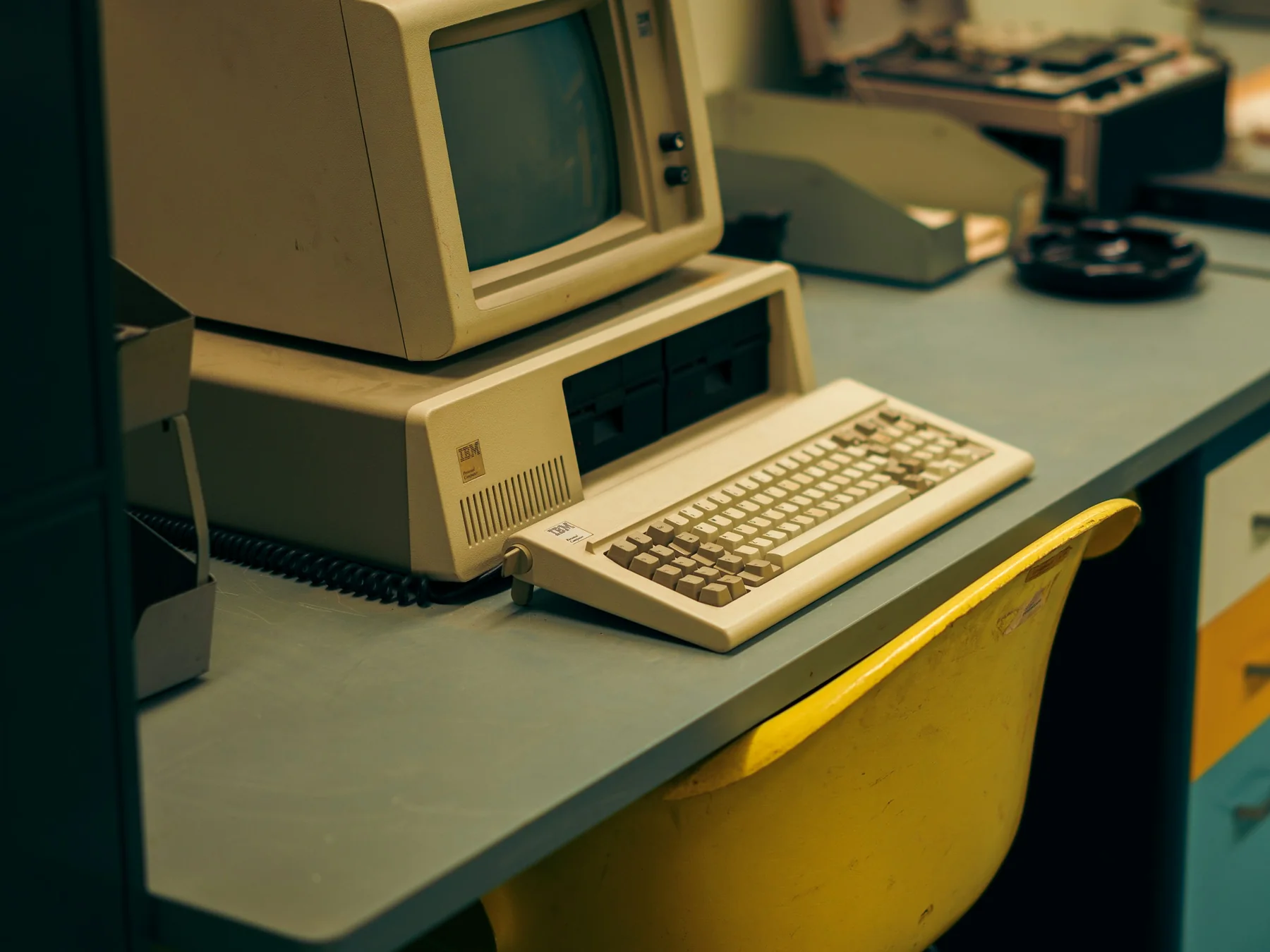
- IBM introduced the IBM Personal Computer in 1981.
- The IBM PC helped establish hardware and software conventions that shaped the later PC-compatible market.
- The original Macintosh launched in 1984.
- Graphical user interfaces made windows, icons, menus, and pointer-based interaction familiar to mainstream users.
- Laptops eventually compressed most of a desktop computer’s functions into a portable battery-powered machine.
What is inside a modern computer?
- The CPU is the central processing unit.
- A modern CPU can contain multiple processing cores.
- A core can execute instruction streams independently of other cores.
- Cache is small, fast memory located close to processor cores.
- Cache helps reduce the time processors spend waiting for frequently used data.
- RAM stands for random-access memory.
- Ordinary system RAM is volatile, meaning its contents disappear when power is removed.
- Storage devices such as solid-state drives keep data without continuous power.
- SSDs use flash memory and contain no spinning magnetic platters.
- Traditional hard disk drives store data magnetically on rotating platters.
- Graphics processing units, or GPUs, perform many calculations in parallel.
- GPUs were developed for graphics but became valuable for scientific computing and AI.
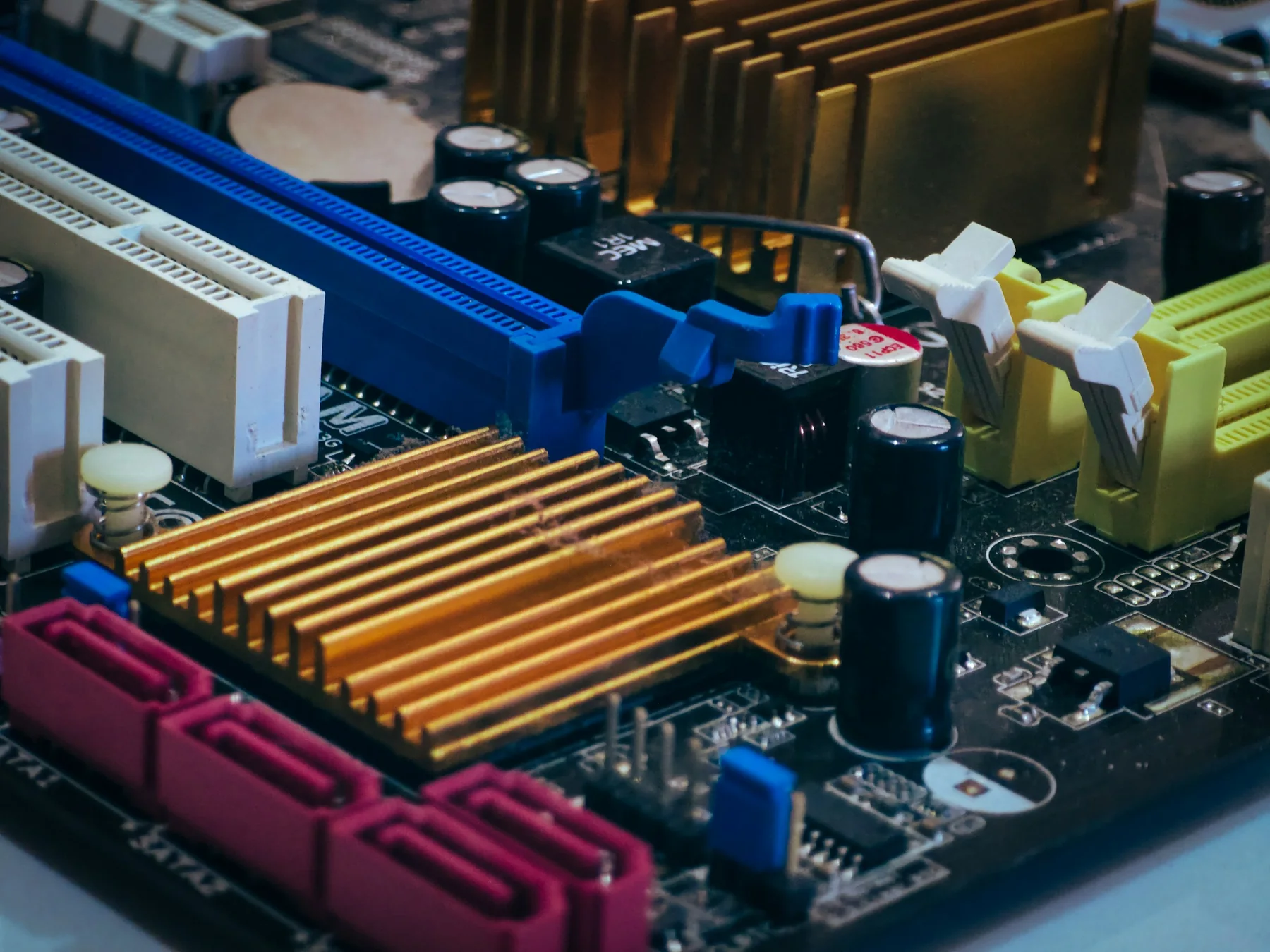
- The motherboard connects major components through electrical pathways and communication buses.
- A power supply converts incoming electrical power into forms computer components can use.
- Cooling systems move heat away from components so they stay within safe operating temperatures.

Software, operating systems, and code
- An operating system manages hardware resources and provides services for applications.
- Windows, macOS, Linux, Android, and iOS are familiar operating-system families.
- A program is a sequence of instructions and related data used to perform tasks.
- Source code is a human-readable representation of a program written in a programming language.
- Machine code is the low-level instruction format a processor directly executes.
- A compiler translates source code into another form, often machine code or an intermediate representation.
- An interpreter executes or evaluates program instructions through another software layer.
- Programming languages exist at many levels of abstraction.
- Assembly language closely reflects processor instructions.
- Higher-level languages hide many hardware details so programmers can express complex ideas more efficiently.
- A bug is an error or defect that causes software or hardware to behave incorrectly.
- The term “bug” for technical faults predates electronic computers.
- A famous 1947 Harvard Mark II log recorded a moth found in a relay and labeled it the “first actual case of bug being found.”
- Grace Hopper helped popularize the story, but she did not invent the word bug.
- Debugging means finding, understanding, and fixing defects.
Computers, networks, and the Web
- A computer network connects devices so they can exchange information.
- The internet is a global network of interconnected networks.
- The World Wide Web is a service that runs over the internet, not another name for the internet itself.
- ARPANET was an important experimental packet-switched network that helped lead toward the modern internet.
- ARPANET began operating in 1969.
- TCP/IP became the core protocol suite connecting networks across the internet.
- ARPANET transitioned to TCP/IP in 1983.
- Tim Berners-Lee proposed the World Wide Web at CERN in 1989.
- He created the first Web browser-editor, server, and website around 1990.
- ARPANET formally shut down in 1990 as newer networks had taken over its role.
- A URL identifies a resource location on the Web.
- HTTP is a protocol used for transferring Web resources.
- HTML provides structure for Web documents.
- The Computer History Museum traces these milestones in its Internet History collection.
- Cloud computing usually means using computing resources delivered from remote data centers over networks.
Ten surprising computer facts
- A modern smart watch can outperform room-sized computers that once represented the cutting edge of technology.
- The first Manchester Baby program contained only 17 instructions.
- An early Kenbak-1 personal computer had 256 bytes of memory, less than the data required for many tiny modern image thumbnails.
- The “first computer” question has no single universally correct answer because mechanical, programmable, electronic, digital, and stored-program milestones belong to different machines.
- The famous computer “bug” moth did not create the term bug, but it made the metaphor unforgettable.
- The internet and the Web are different inventions that people routinely confuse.
- Billions of microscopic transistor switches can now fit on a processor chip you can hold between two fingers.
- Most computers around you are not laptops or desktops but embedded systems hidden inside other machines.
- A car, television, router, refrigerator, camera, thermostat, game console, and washing machine may all contain multiple computers.
- For the next step in this rabbit hole, explore our robot facts and the Tech facts category.
Quick computer FAQ
What was the first computer?
There is no single answer because “computer” can mean mechanical, programmable, electronic, digital, or stored-program machine. ENIAC, the Manchester Baby, and earlier mechanical designs each hold important firsts.
What is a bit?
A bit is a binary digit that represents one of two states, usually written as 0 or 1. Digital data is built from huge collections of bits.
What is the difference between RAM and storage?
RAM is fast working memory used while programs run and normally loses its contents when power is removed. Storage keeps files and programs much longer without continuous power.
Who invented the World Wide Web?
Tim Berners-Lee proposed the Web at CERN in 1989 and built the first browser-editor, server, and website around 1990.
Is the internet the same as the Web?
No. The internet is the underlying global network of networks. The World Wide Web is one system of linked resources and services that operates over that network.

Ellie is the owner and sole author of Fun Facts, combining her mechanical engineering background with years of research-driven writing to deliver facts you can trust. Every article is thoroughly fact-checked and routinely updated as new science and sources emerge to keep information accurate and current. Her mission is to make learning delightful while upholding high standards of reliability and transparency.